 createbooth
An iPhone or iPad, a stable stand, power and a well-lit space.
Make a space for the booth
Put the device on a stable stand around face height. Leave space for a small group and a clear route past the booth. Face guests towards soft light; avoid a bright window behind them. Take an upper-body test rather than trying to fit the whole room in.

Create your event
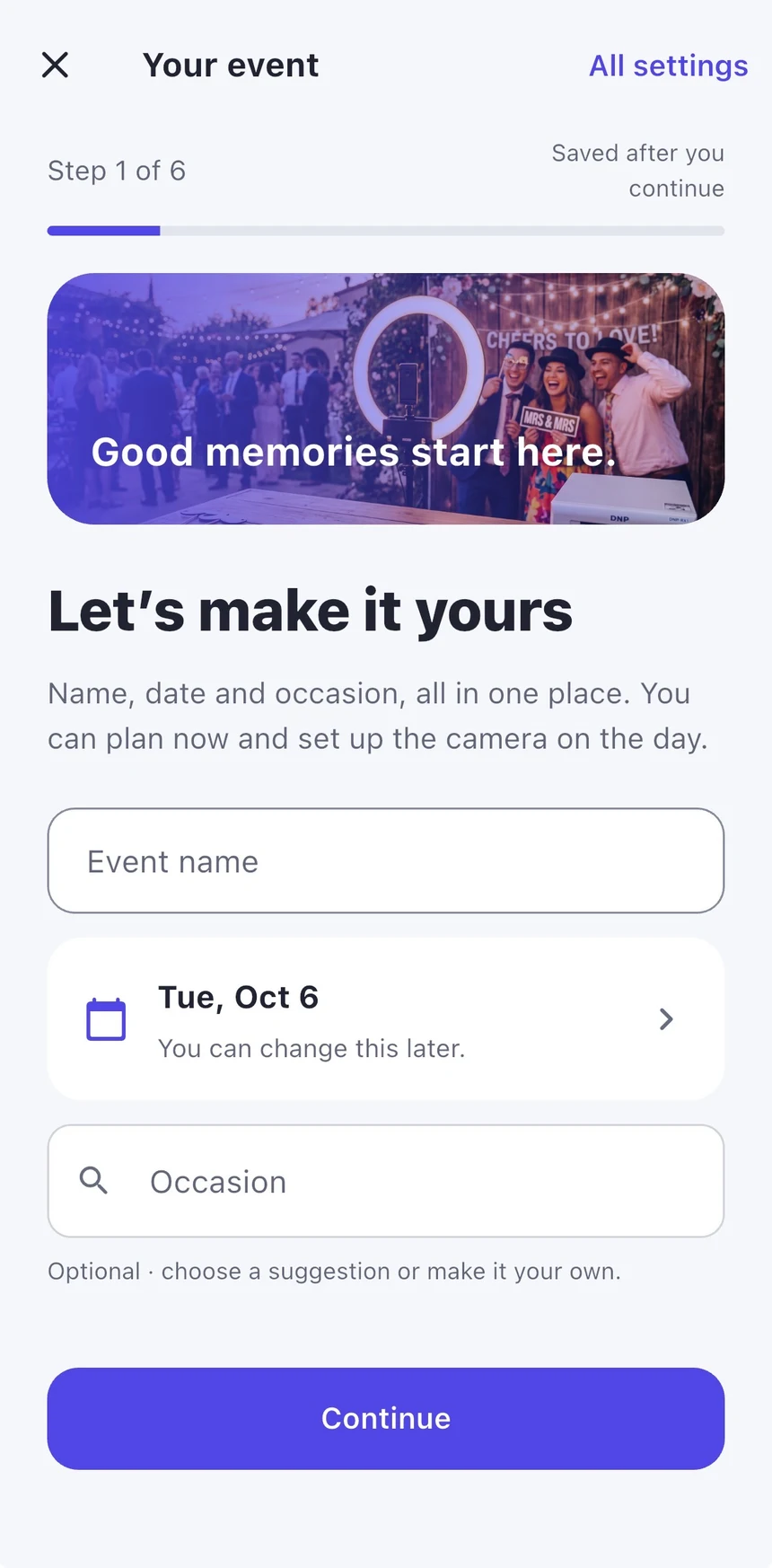
On Home, tap Create an event. Add the event name, date and occasion. These details help personalise the booth and photo designs. Use Save for later if you are preparing before the day.
Choose what guests can make
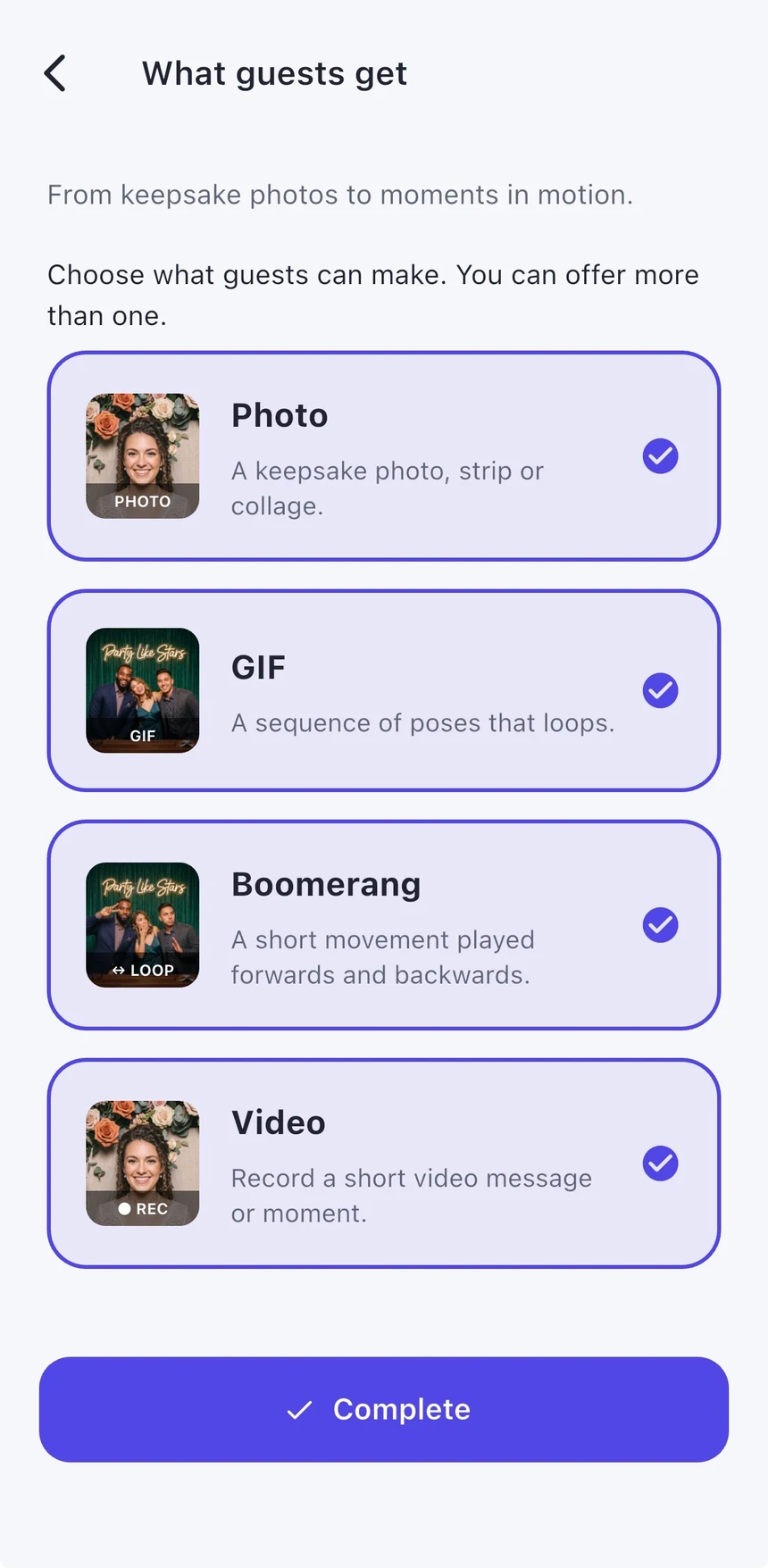
In What guests get, start with Photo. Add GIF, Boomerang or Video if you want them. More options mean more decisions for guests, so only enable what you plan to use. AI has its own credit and access requirements.
Choose a design and finish setup
Complete Your photo design, choose your booth theme and review sharing, gallery, guestbook and printing. Options marked Premium need eligible event access. A free event allows 20 completed captures and includes a watermark.
Connect, test, then welcome guests
Use the camera and calibration steps to check framing and rotation. Test every enabled capture type and a print if printing is on. Check power, storage and sharing before handing over the device. Add a booth PIN and enable Apple Guided Access for an unattended booth.
Real app screens with numbered highlights. Tap Enlarge to inspect a screen. Example content; labels can vary by app version.
Helpful to know.
Keep the first test simple
Use the built-in camera and one capture type first. Add an external camera or printer after your basic booth works.
Don’t start with real guests
Invite a friend to walk through capture, retake and sharing. Delete unwanted tests before publishing; ordinary captures may count towards the free allowance.