 createbooth
A supported camera, a data cable or capture card, and your iPad. Compatibility varies by camera and connection.
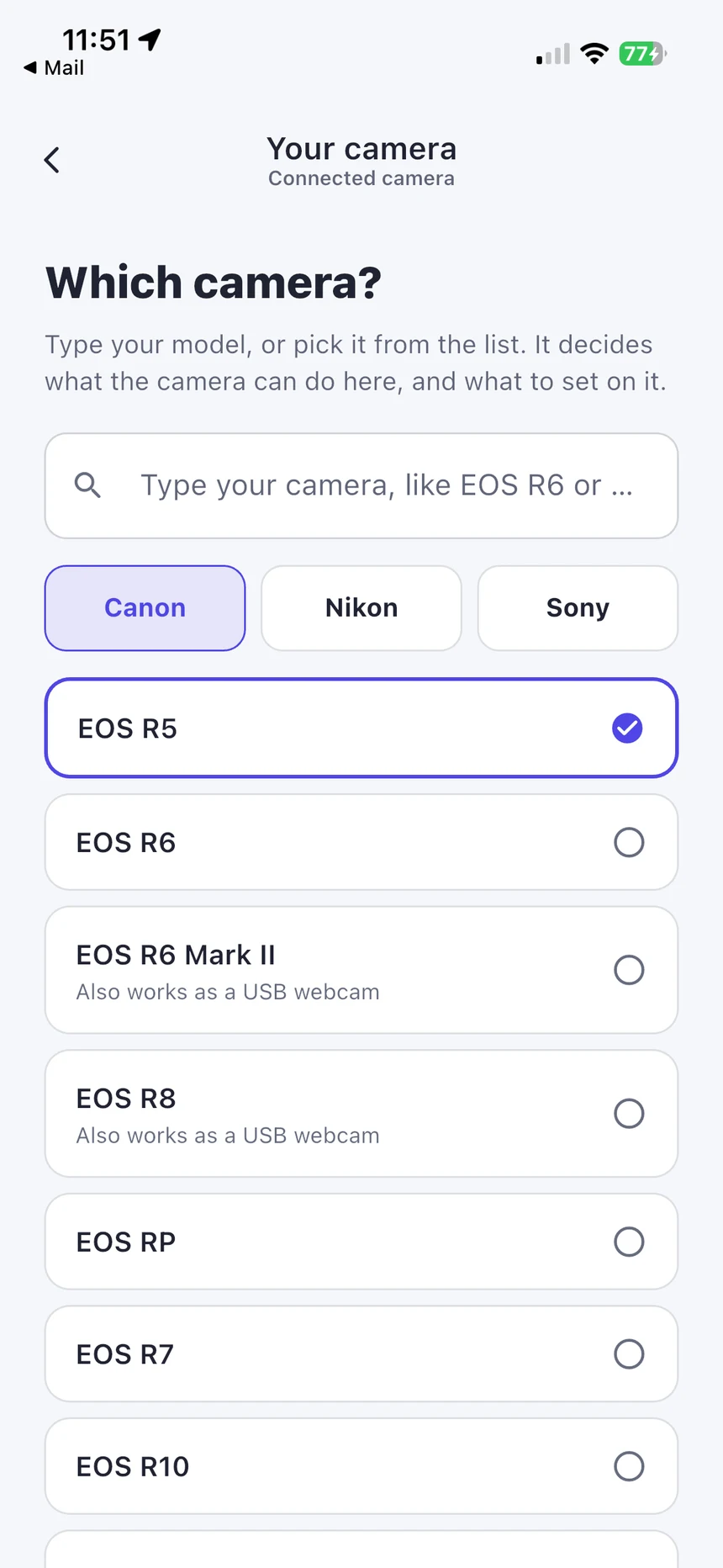
Choose your exact camera
In the camera setup flow, select the manufacturer and model. Use the capabilities shown for that model and connection. A camera appearing in a list is not a guarantee that every capture type works through every cable.
Pick the connection for your goal
USB camera control uses the camera’s own shutter for full-resolution stills on supported setups. HDMI capture card takes a webcam-style feed: photos are frames from that feed, not full-resolution camera originals. The external video-feed route requires a compatible iPad and iPadOS version; follow the availability shown in the app.
Set the camera’s connection mode
Follow the model-specific instructions in CreateBooth. Supported Canon and Nikon setups may need wireless connections disabled; Nikon may need MTP/PTP rather than mass storage. Sony may need PC Remote. Menu names and supported controls vary, so check the camera manual.
Connect and confirm the preview
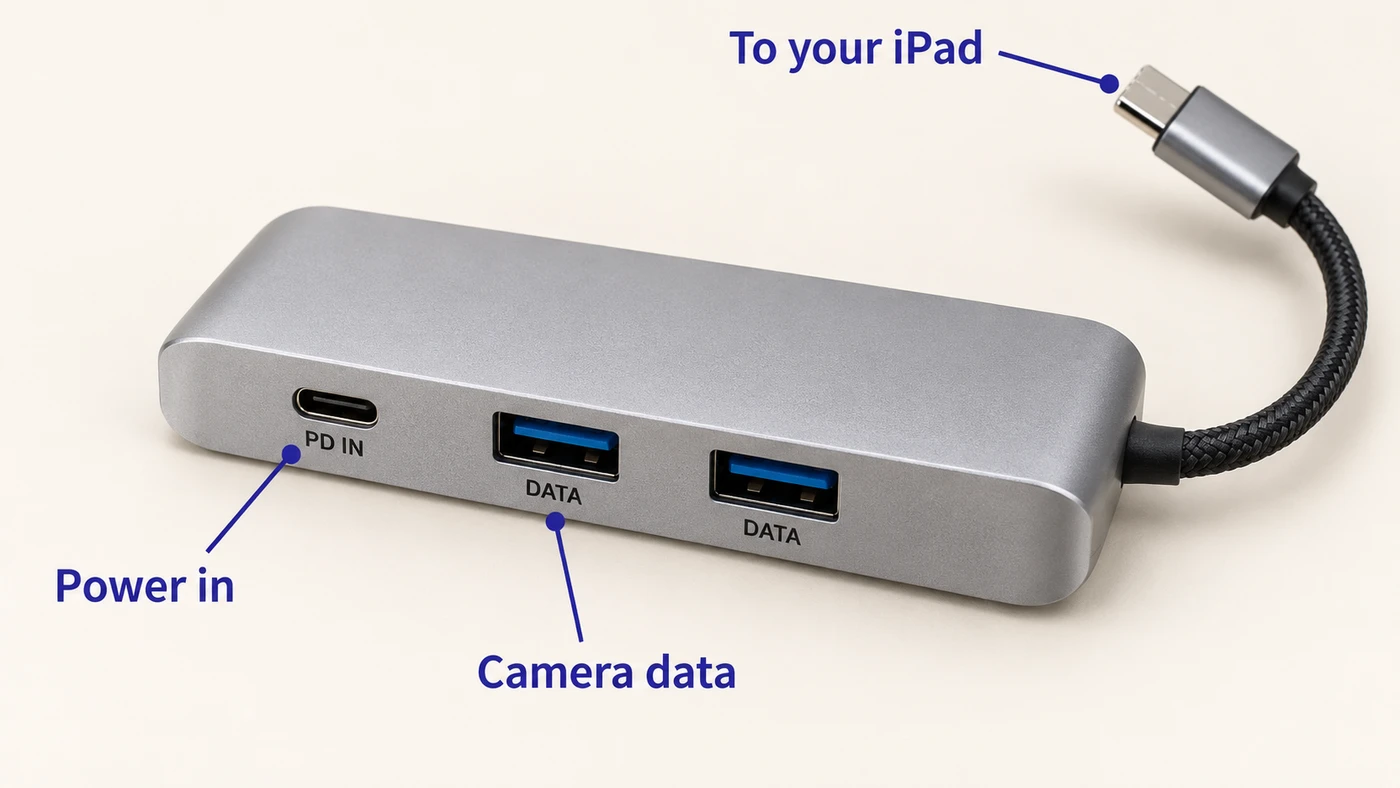
Use a data-capable cable, power on the camera and continue to Connect your camera. For HDMI, enable a clean HDMI output if available and connect camera → capture card → iPad. A normal HDMI display adapter is an output adapter, not a capture card.
Test every capture type you enable
Take a still and try video, GIF or boomerang if selected. Some camera/connection combinations use the iPad camera for unsupported capture types. Check where guests should look, focus, exposure, battery and the saved result before opening the booth.
Real app screens with numbered highlights. Tap Enlarge to inspect a screen. Example content; labels can vary by app version.
Helpful to know.
Camera not detected?
Unlock the iPad, reseat the cable, check data capability, camera mode and power, then use Check again. If needed, test without the hub to isolate a connection fault.
Before buying equipment
Confirm your exact camera, iPad, adapter and firmware combination. The manufacturer and CreateBooth support can help; do not assume all DSLRs share the same USB features.